


 Sign in or Register


© Copyright PETRONAS Dagangan Berhad 198201008499 (88222-D).
All rights reserved.
-
FUEL UP and EARN points instantly with our new feature. Just enter your mobile number to earn and redeem your Mesra Rewards points without your physical card!
How to collect Mesra points?
Follow the steps below:
AT PUMP (OPT)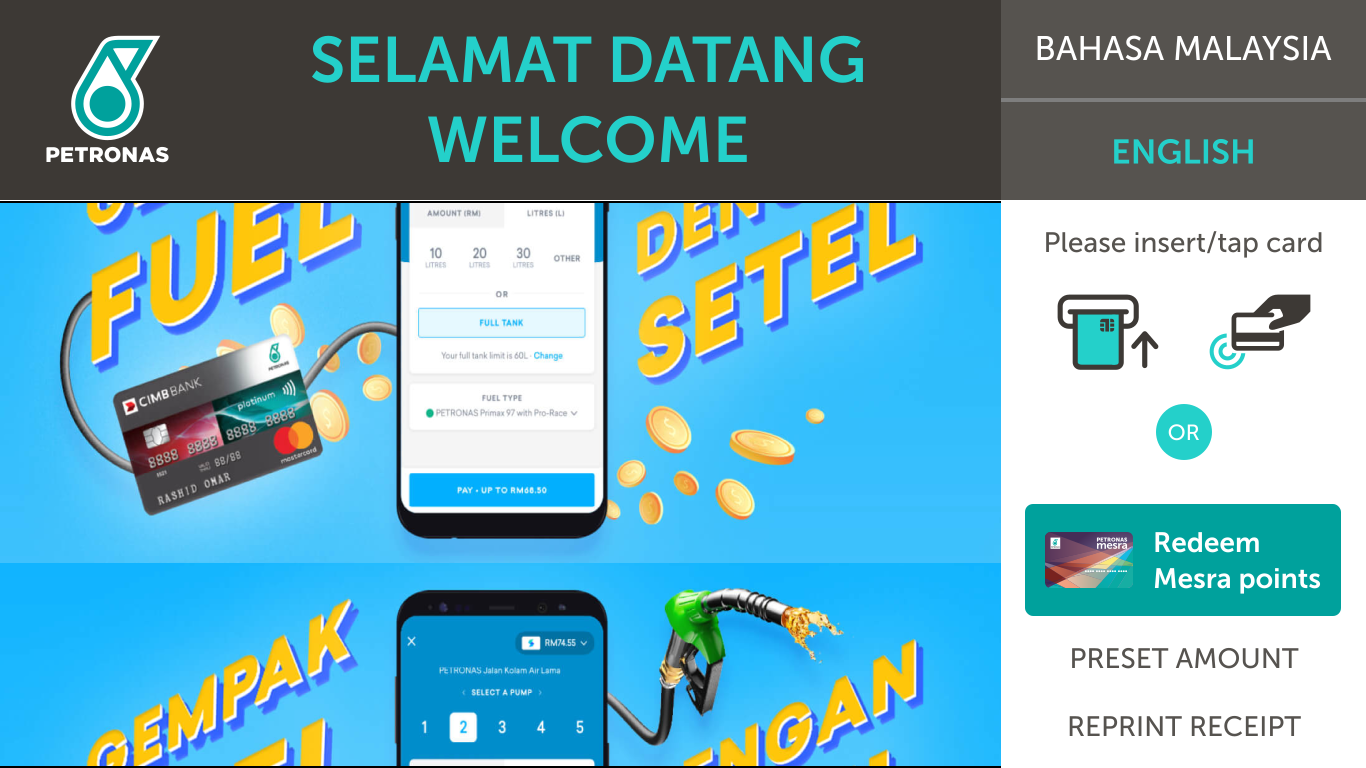 STEP 1 Choose your payment method.
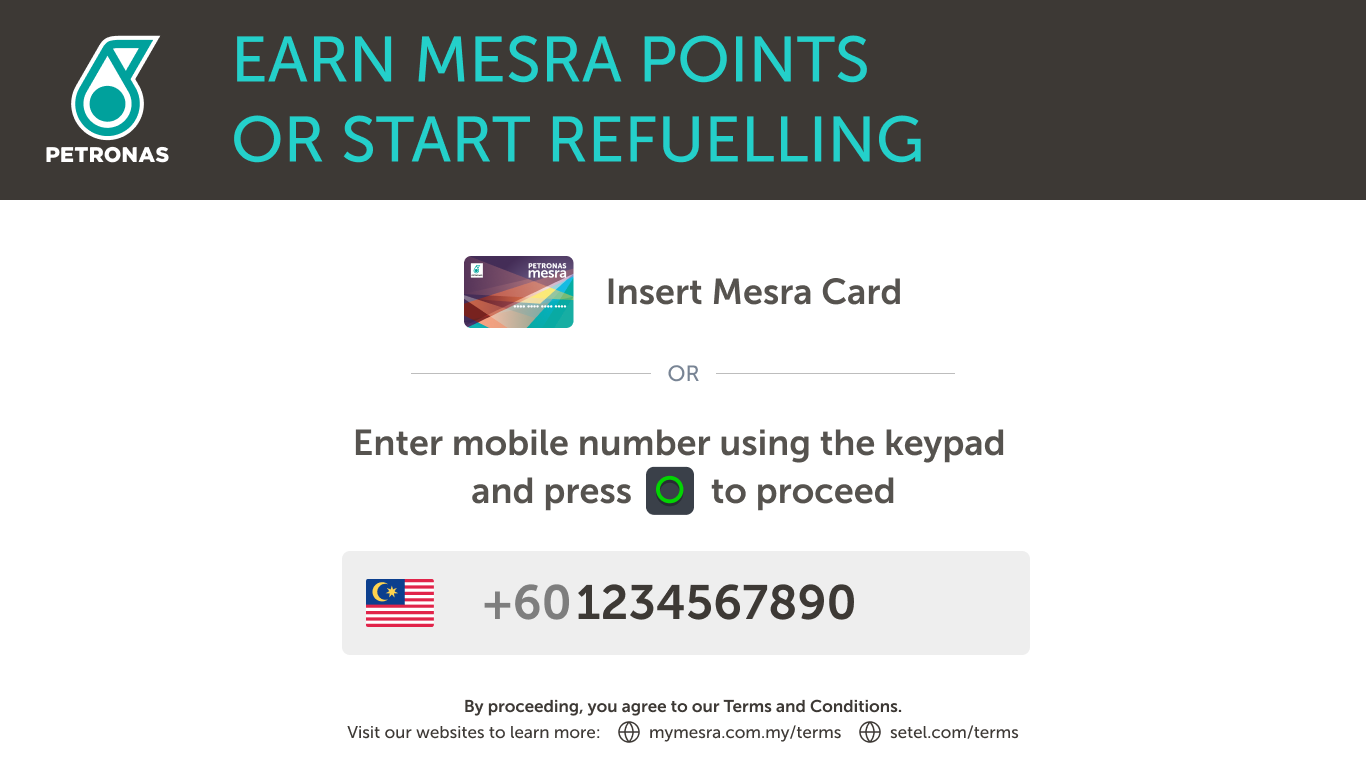 STEP 2 Enter your mobile number.
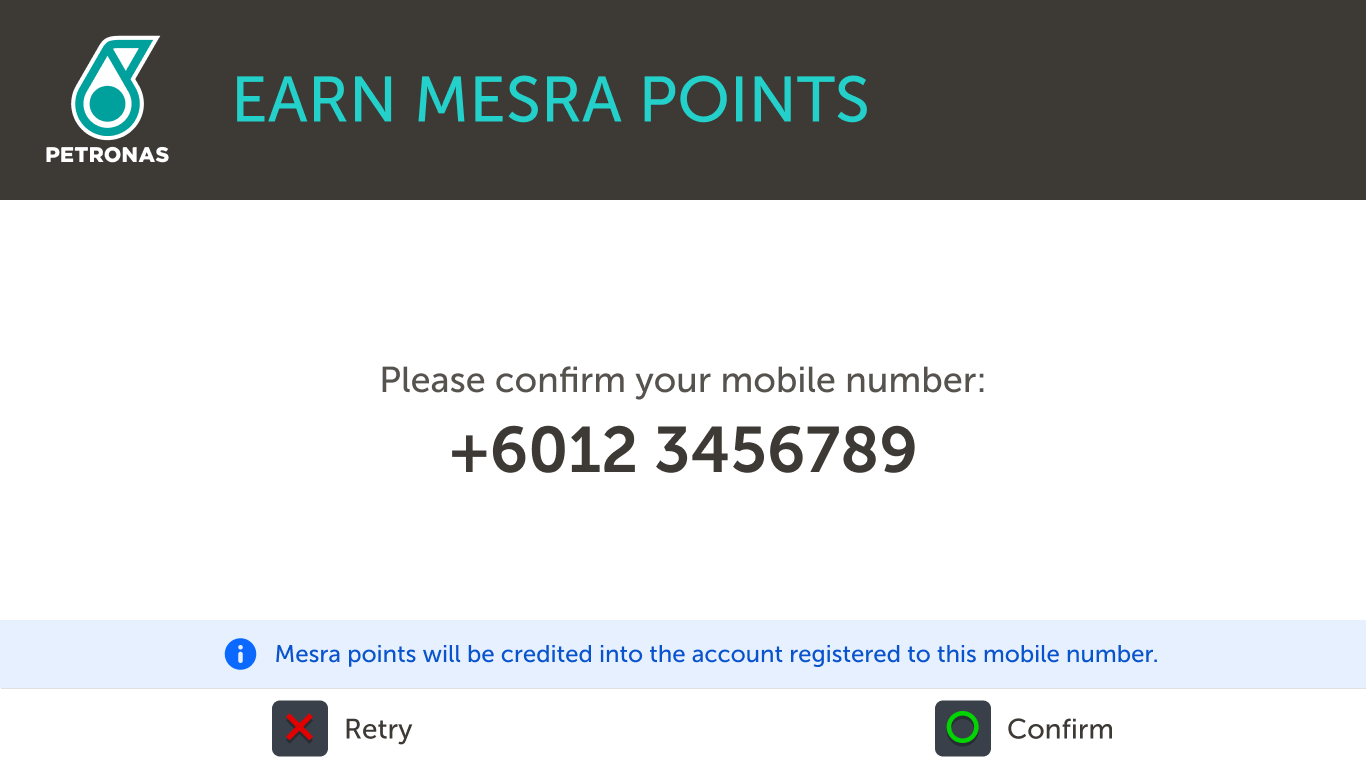 STEP 3 Confirm your mobile number.
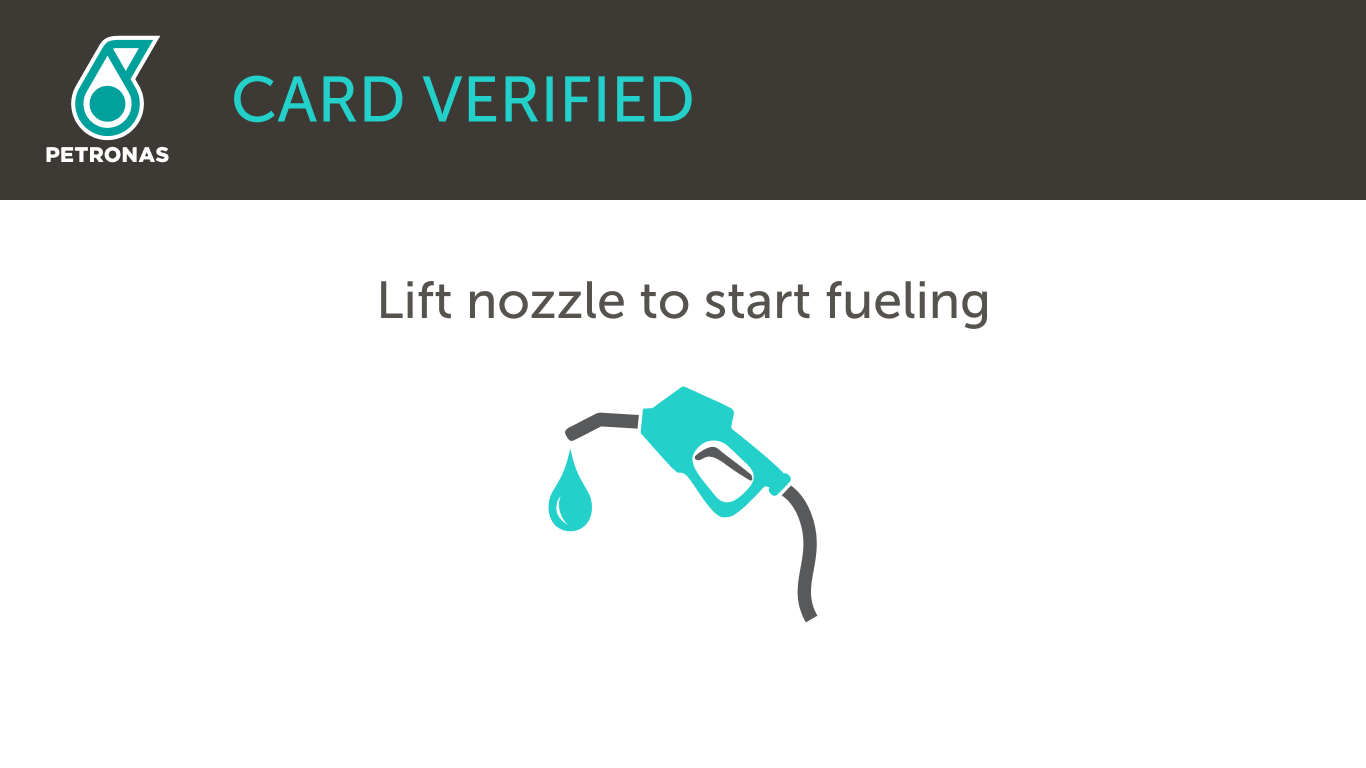 STEP 4 Lift nozzle to start fueling.
 STEP 5 Mesra points credited to your account.IN-STORE (CDS)
 STEP 1 Pay at counter upon checking your item.
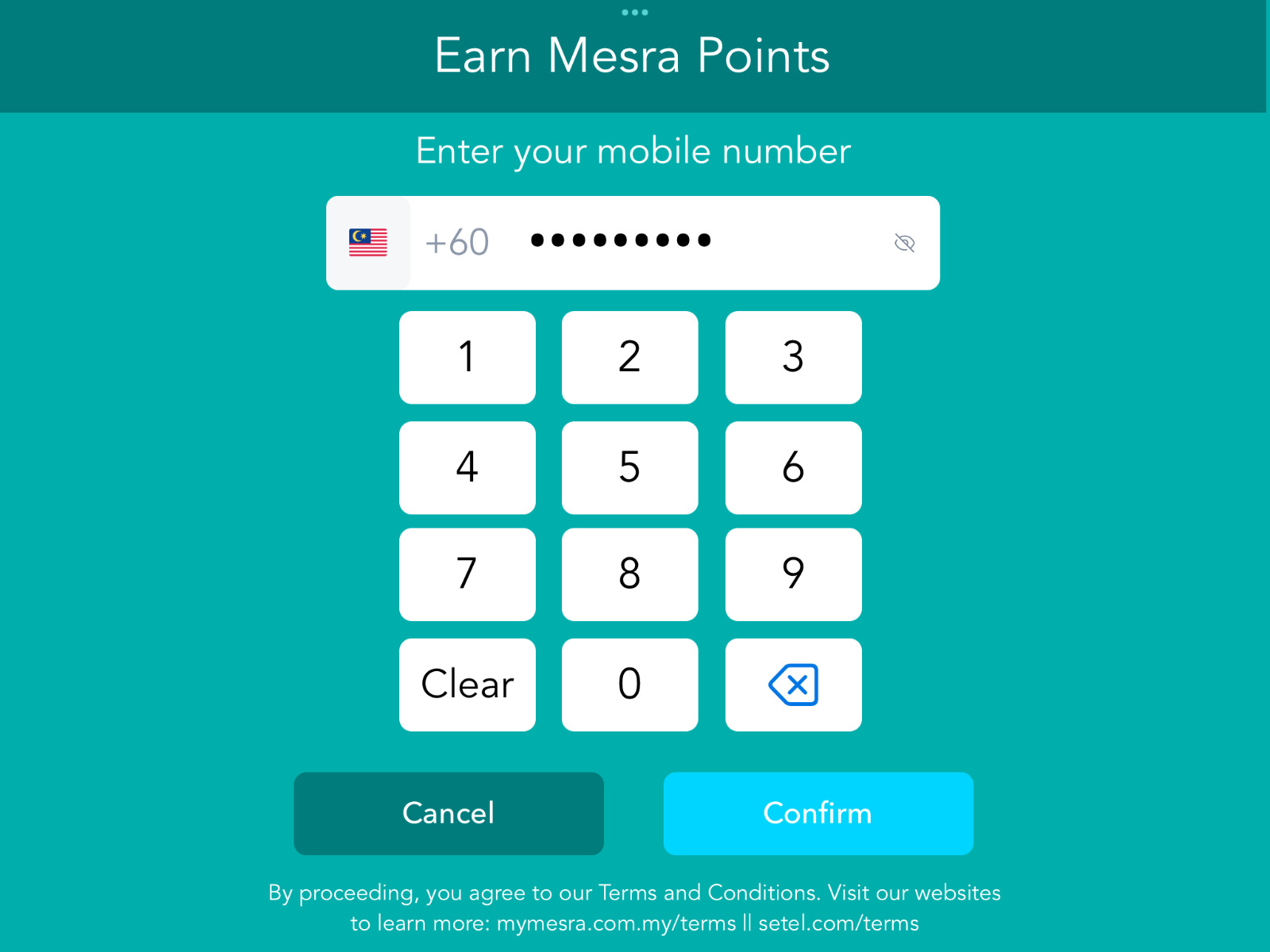 STEP 2 Enter your mobile number.
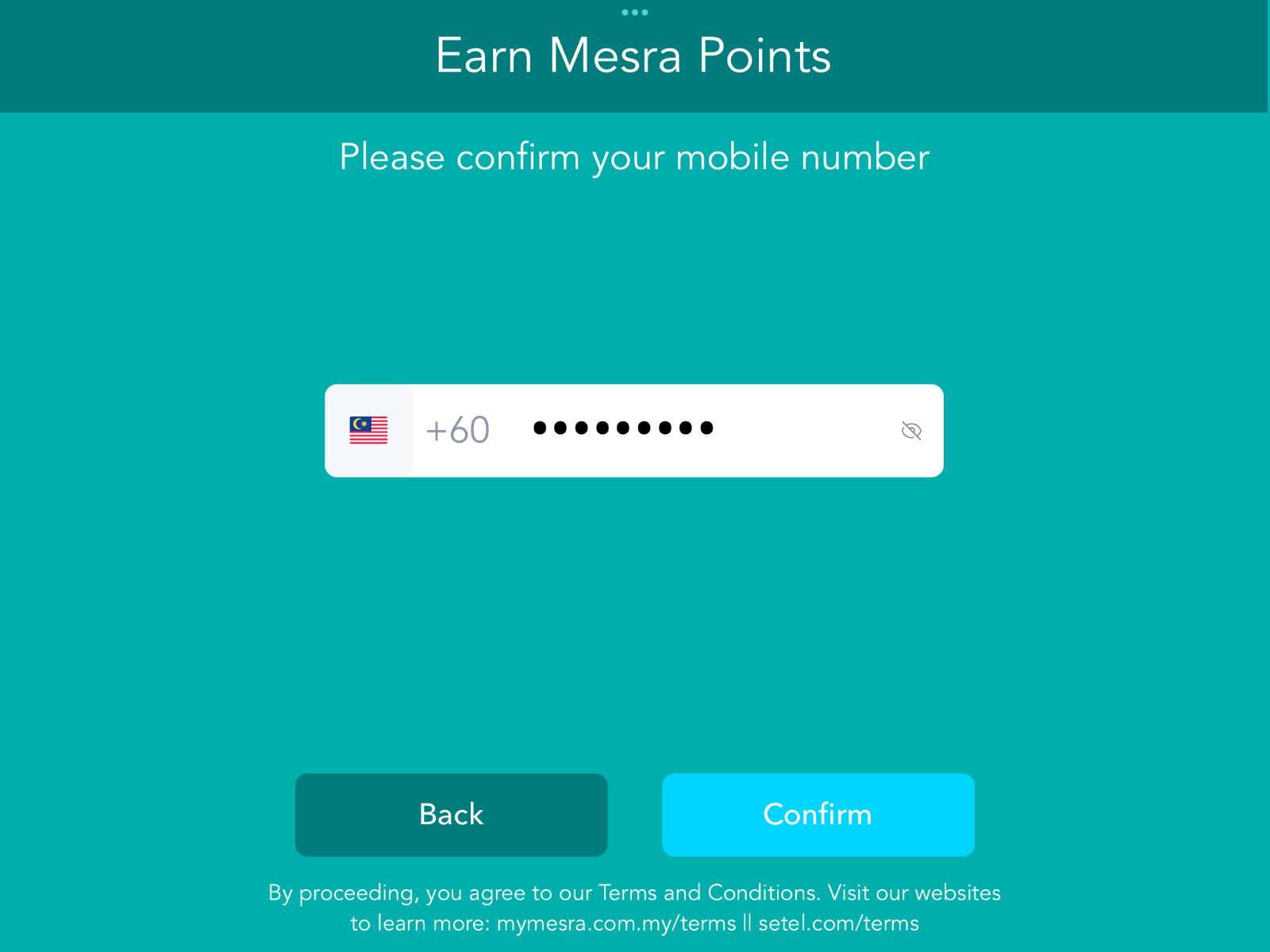 STEP 3 Confirm your mobile number.
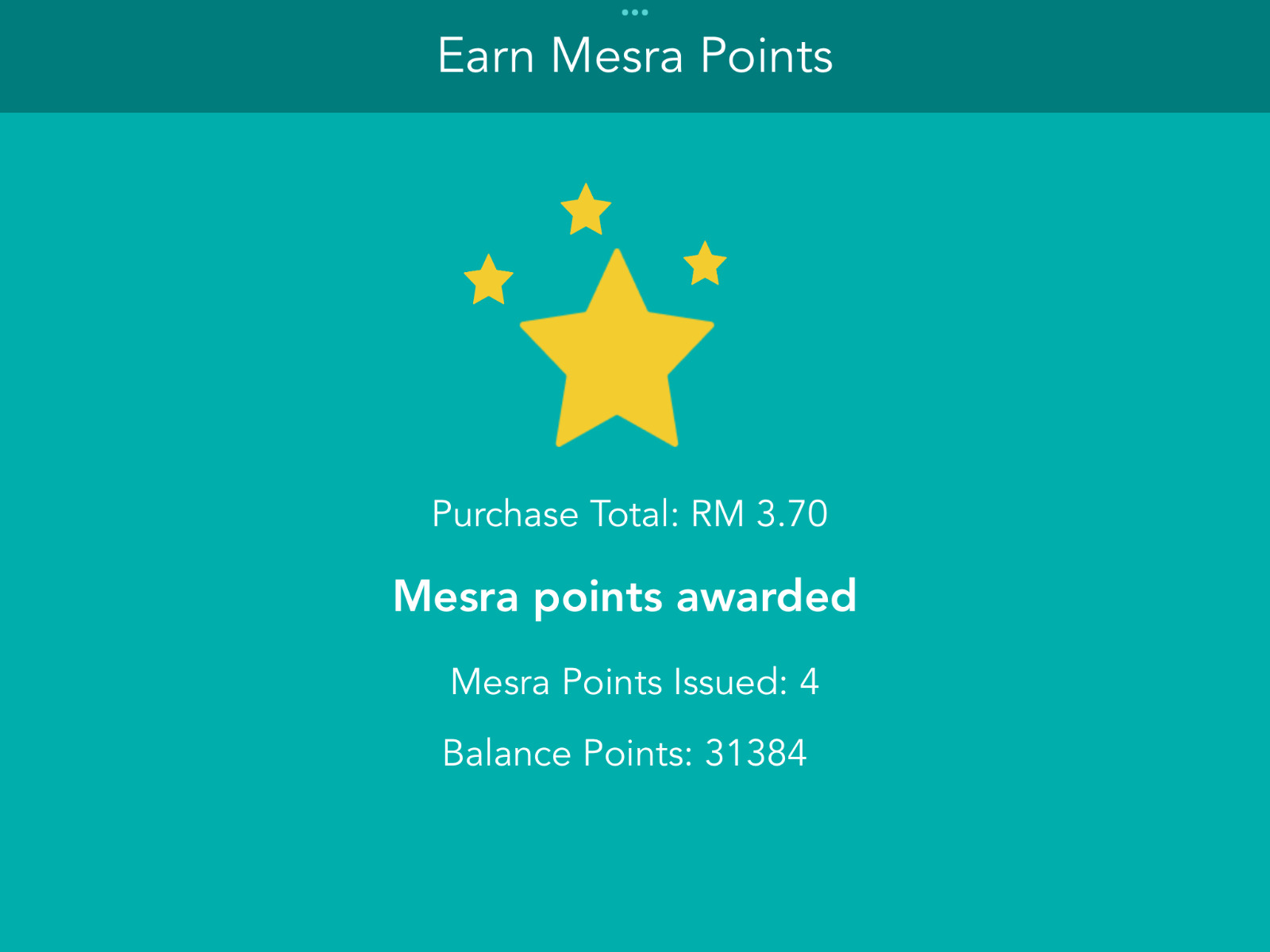 STEP 4 Mesra points credited to your account.IN-STORE (SCAN BARCODE AT SETEL)
 Flash your bar code from Setel app.
How to redeem Mesra points for fuel?
Follow the steps below:
AT PUMP (OPT)STEP 1 Select "Redeem Mesra points".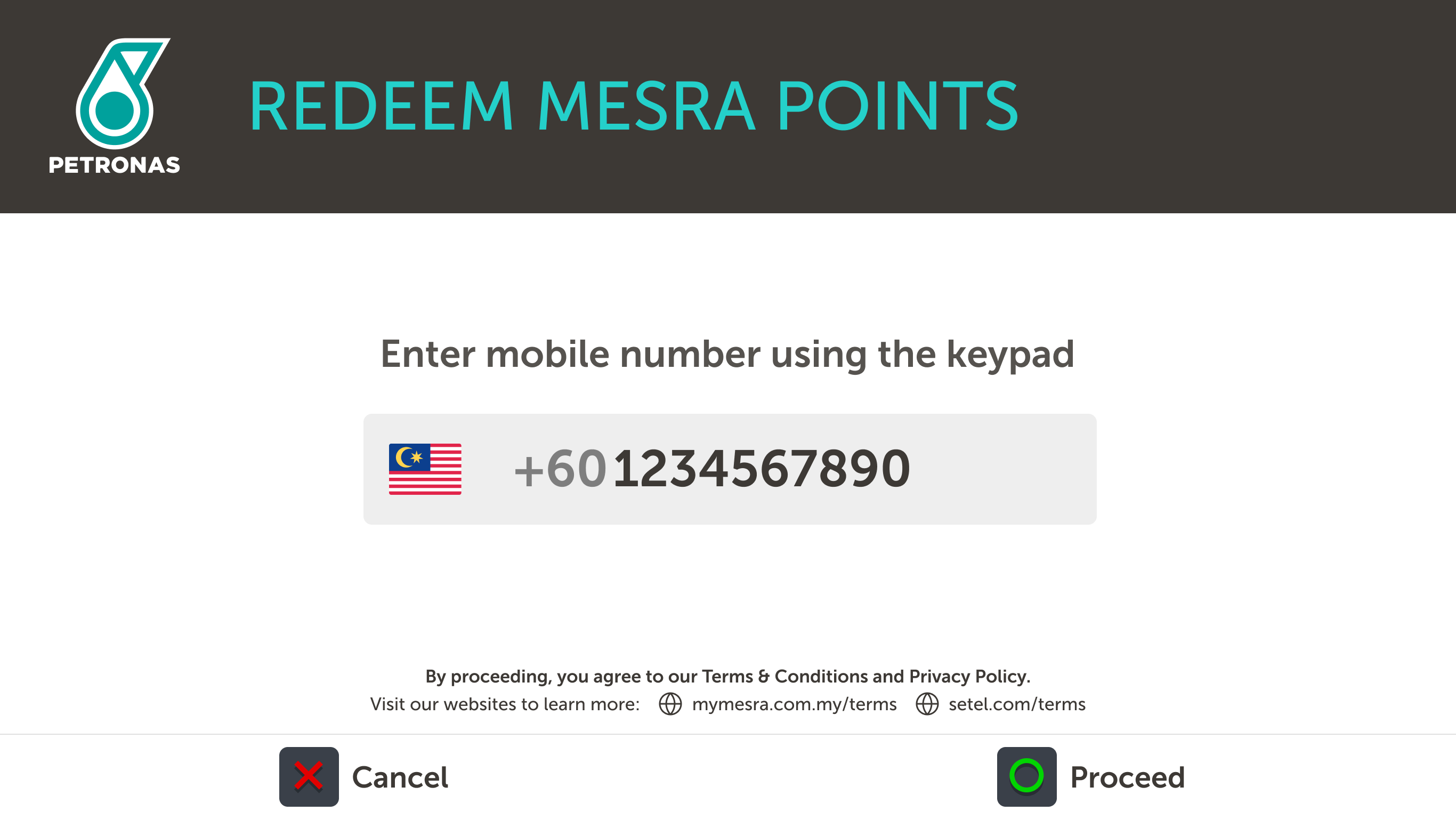 STEP 2 Enter your mobile number.
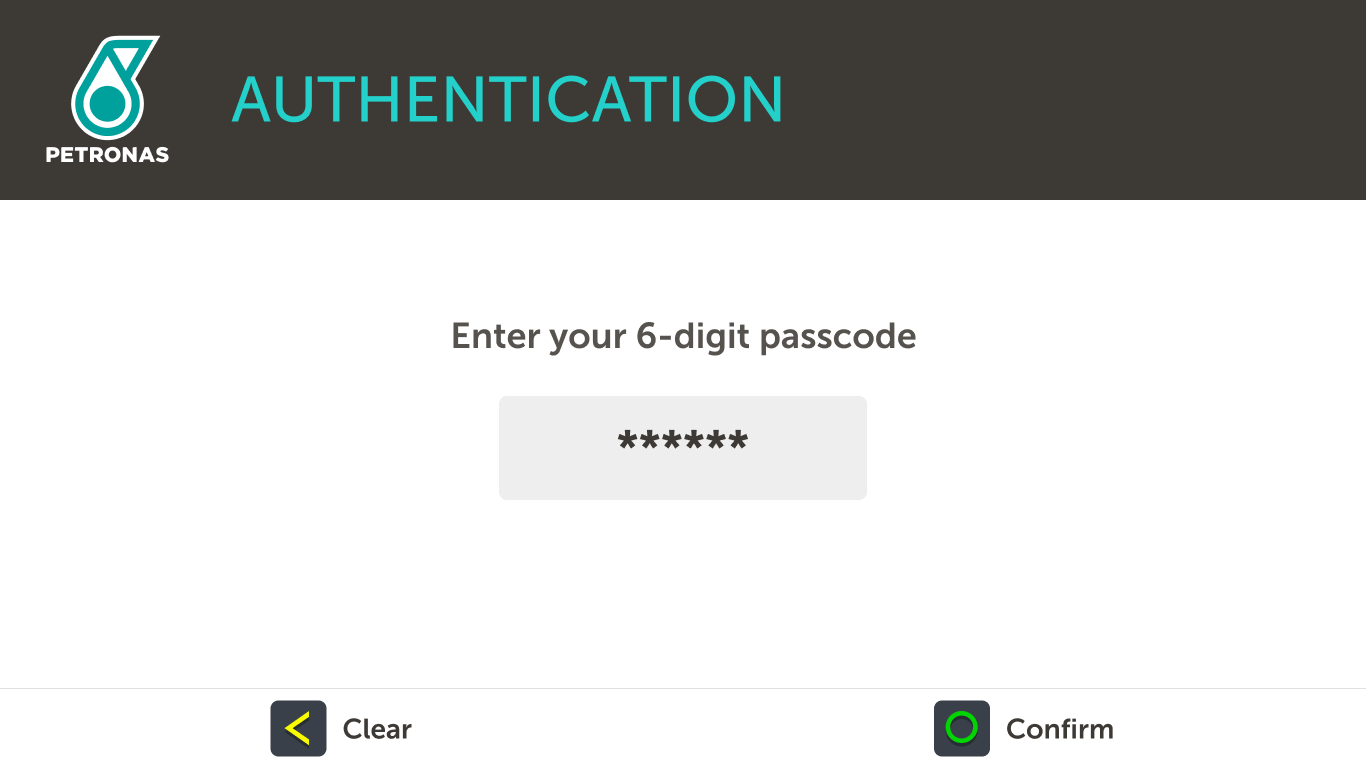 STEP 3 Enter your 6 digits passcode. Register your Mesra account at www.setel.com/mesrarewardsregister
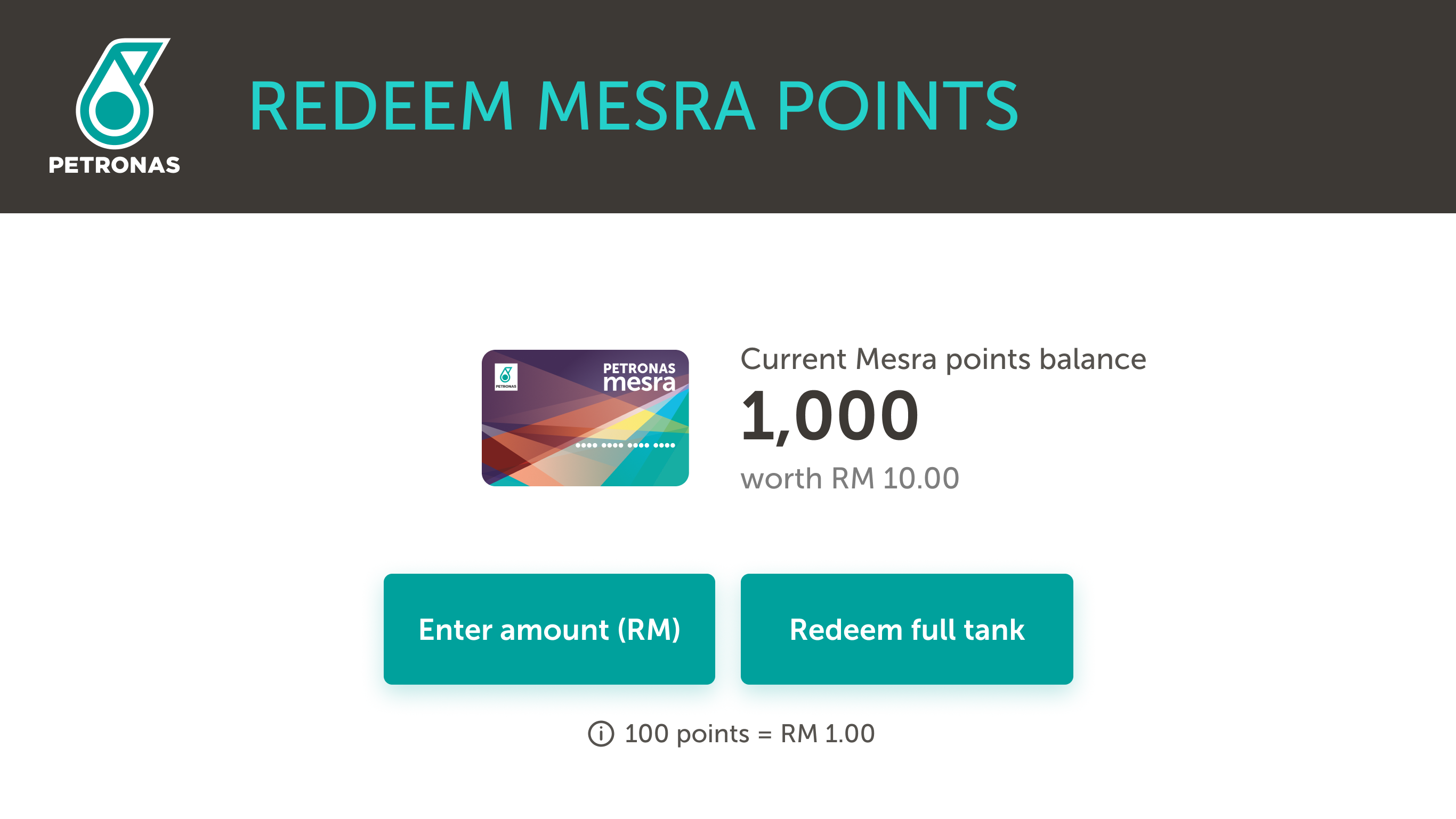 STEP 4 Enter the amount of points to be redeemed.
 STEP 5 Lift nozzle to start fuelling.
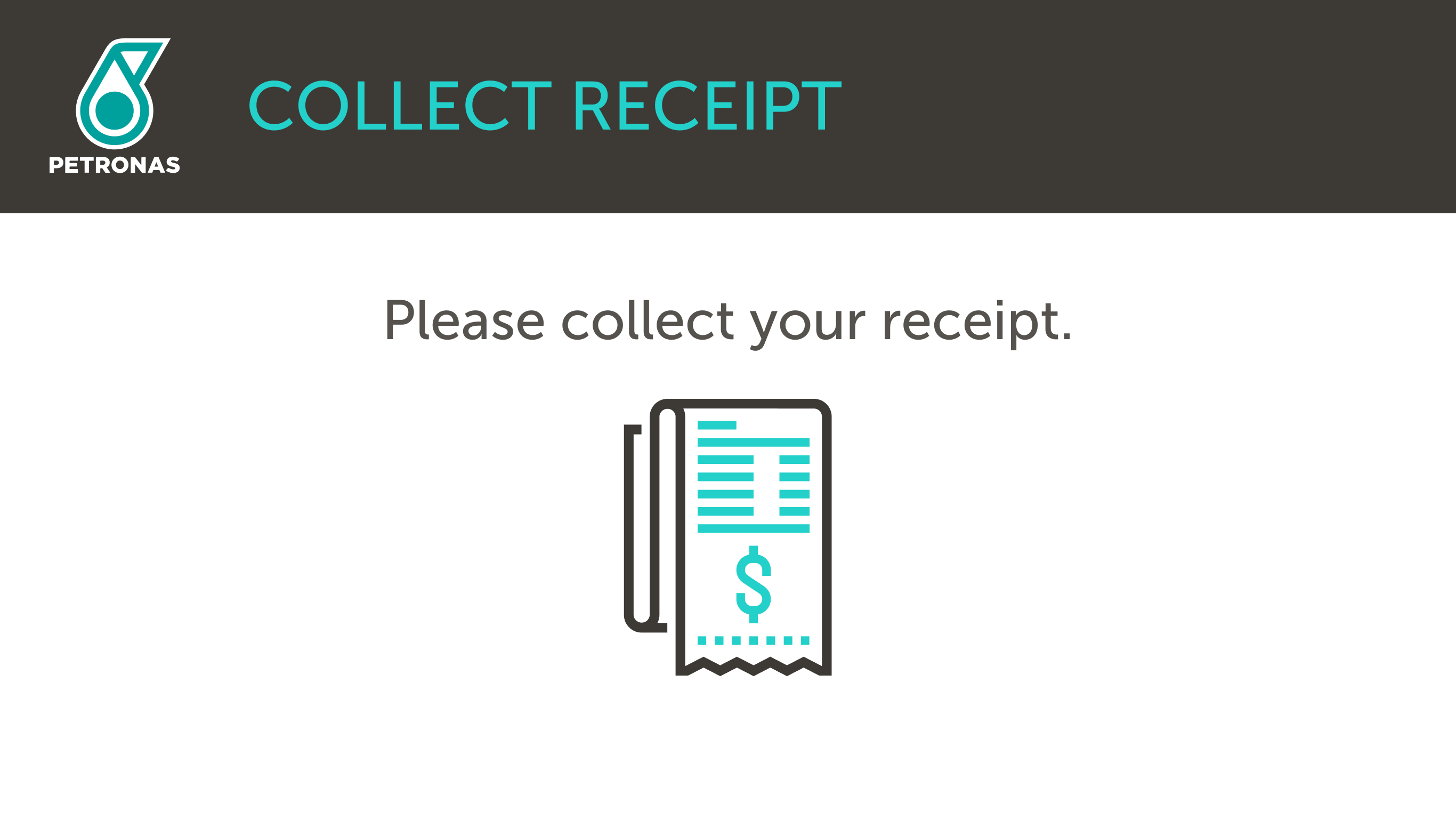 STEP 6 Mesra points will be deducted from your account.IN-STORE (CDS)STEP 1 Check your item.
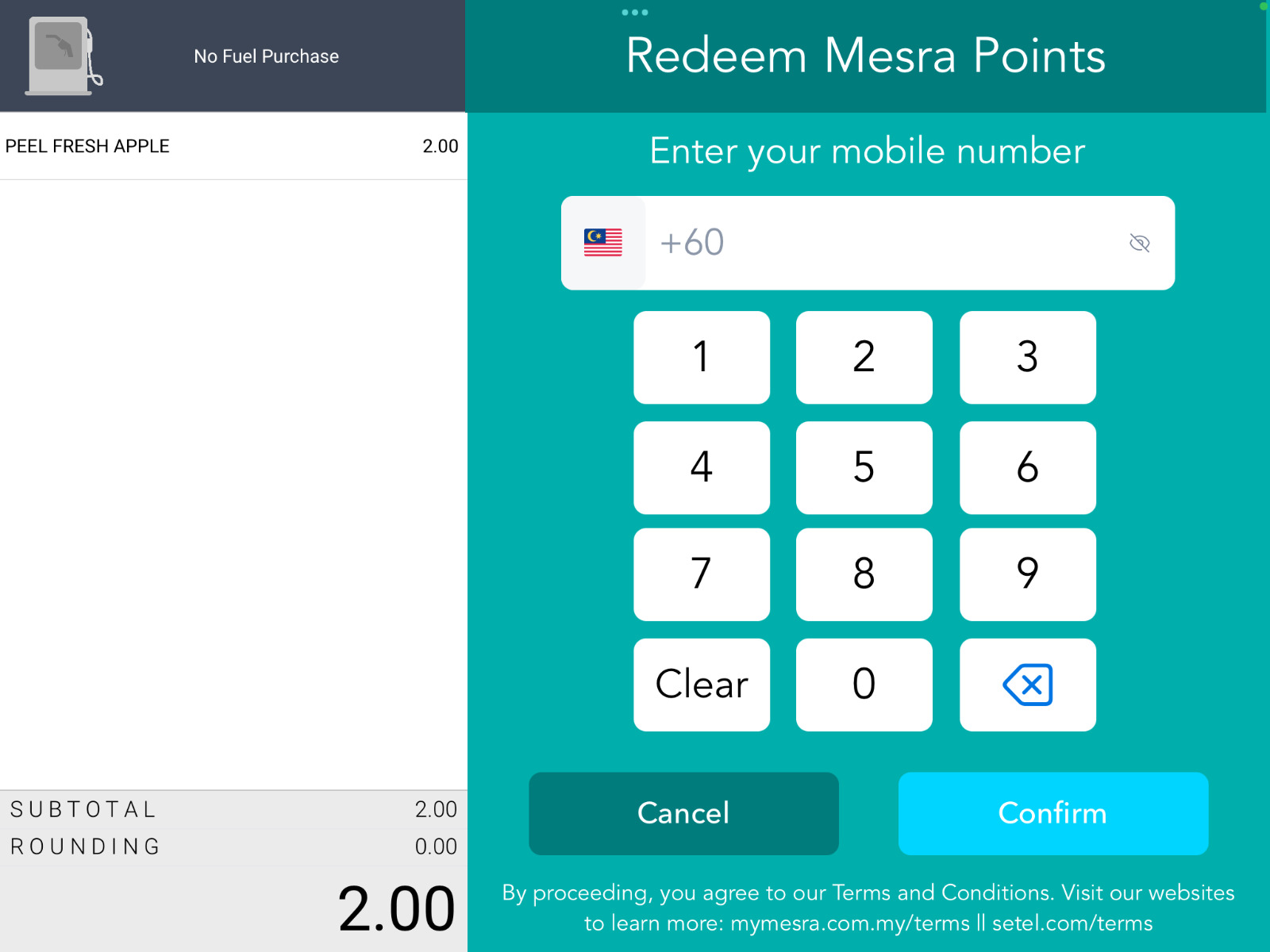 STEP 2 Enter your mobile number.
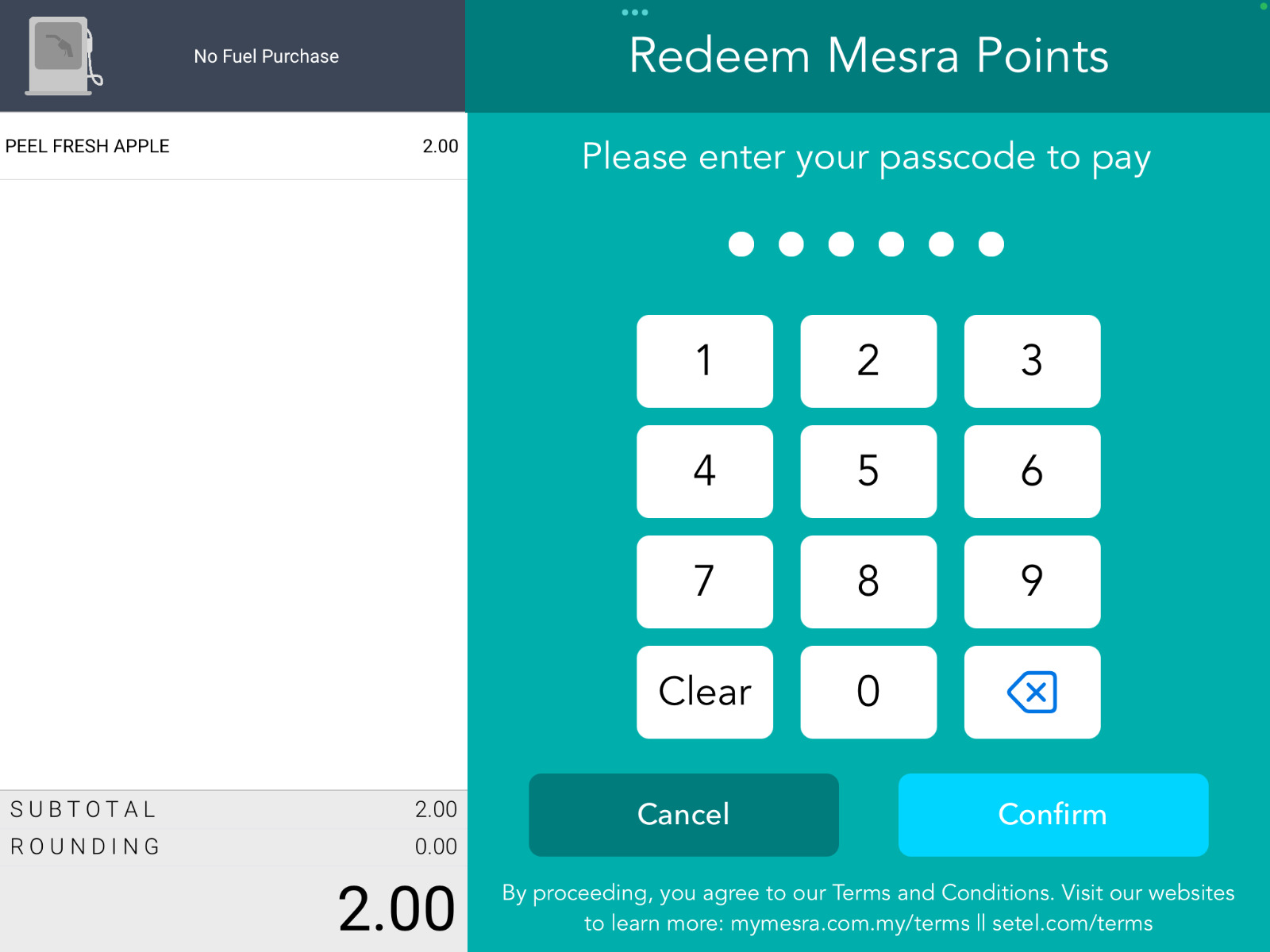 STEP 3 Enter your 6-digit passcode.
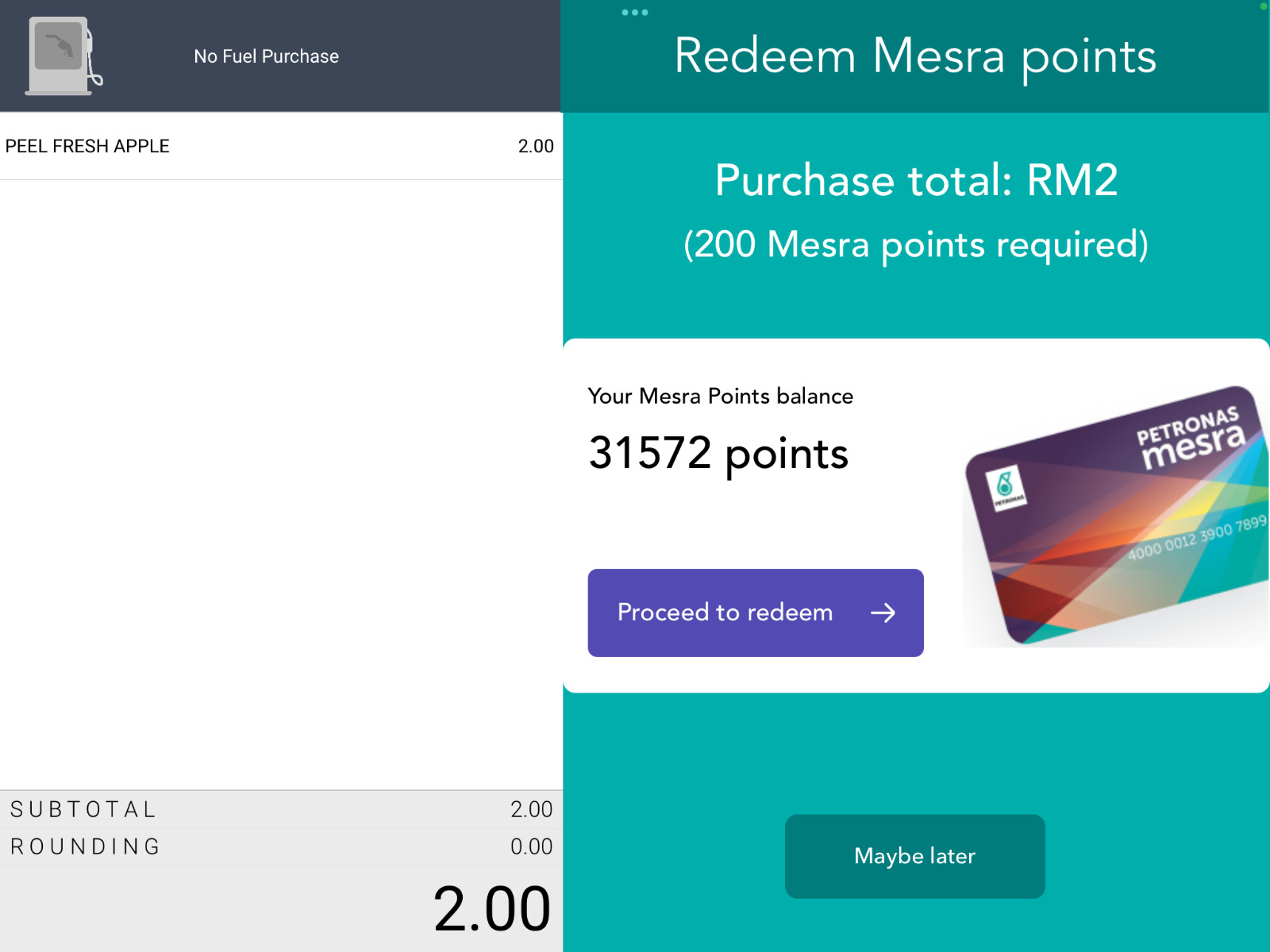 STEP 4 Proceed to redeem your points.
 STEP 5 Transaction completed.
Frequently Asked Questions (FAQ)
You can earn and redeem Mesra points by just keying in your mobile number at the Outdoor Payment Terminal (OPT) screen at the pump or Customer Display Screen (CDS) at the counter.
You can earn Mesra points for your purchase by keying in your mobile number at OPT screen or CDS.
You can redeem Mesra points for your purchase by keying in your mobile number and 6-digit passcode (register your Mesra account to create passcode at Setel app or www.setel.com/mesrarewardsregister at OPT screen or CDS.
For new customers, you may register your Mesra account and create your 6-digit passcode at Setel app or www.setel.com/mesrarewardsregister.
For current physical Kad Mesra customers, you may link your Kad Mesra and create your 6-digit passcode at Setel app or www.setel.com/mesra rewardsregister.
For current Setel customers, if you have activated your Mesra account in Setel app, you may use your 6-digit passcode created in Setel app.You may view your transaction and points history at Setel app or www.setel.com/mesrarewardsregister